Set up Secrets in GitHub Action workflows
GitHub Secrets are encrypted and allow you to store sensitive information, such as access tokens, in your repository.
You could use GitHub secrets to store your Azure Credentials, Publish profile of your Web app, container registry credentials or any such sensitive details which are required to automate your CI/CD workflows using GitHub Actions.
Creating secrets
- On GitHub, navigate to the main page of the repository.
- Under your repository name, click on the "Settings" tab.
- In the left sidebar, click Secrets.
- On the right bar, click on "New repository secret"
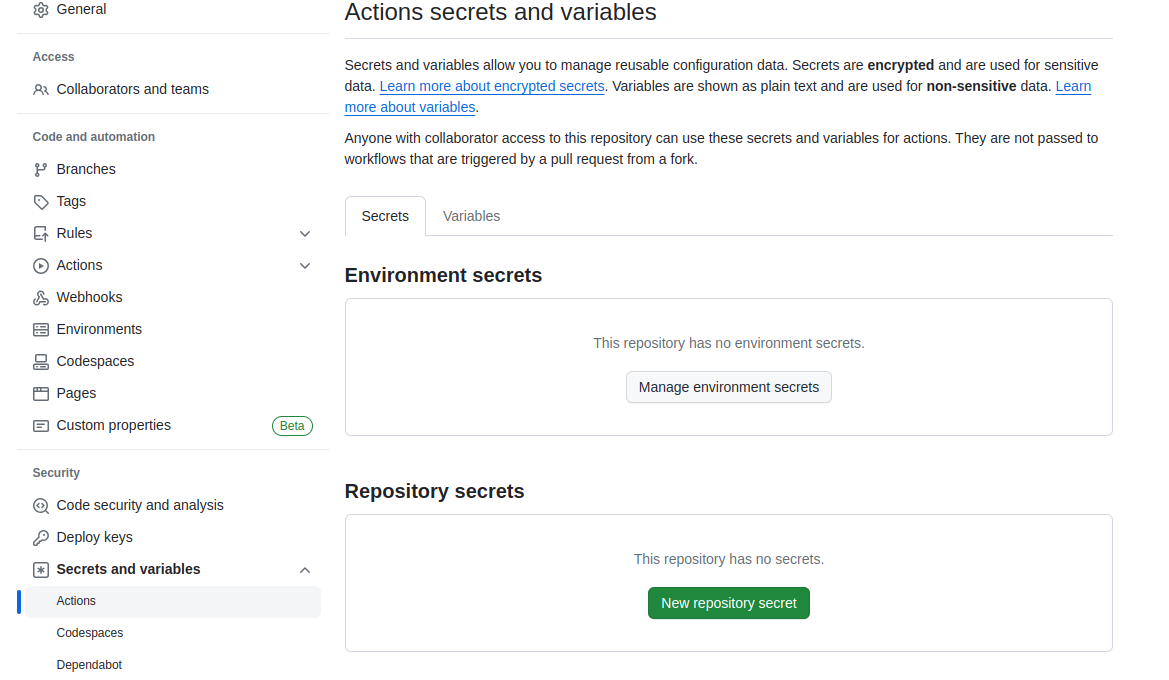
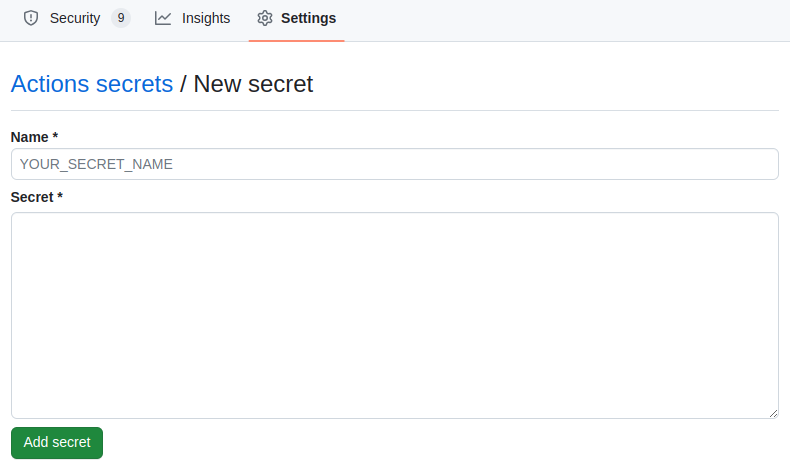
- Type a name for your secret in the "Name" input box.
- Type the value for your secret.
- Click Add secret.
Consume secrets in your workflow
To consume a secret within an action workflow, set the secret as an input or environment variable in your workflow. Review the action's README file to learn about which inputs and environment variables the action expects. For more information, see "Workflow syntax for GitHub Actions."
name:  Test
on:
  # this can be trigger based on both master and main branch.
  push:
    branches: [ "main", "master" ]
  workflow_dispatch:
jobs:
  steps:
   - name: Sample AWS GitHub-Action
     with: # Set AWS credentials secret as an input
       credentials: ${{ secrets.AWS_ACCESS_KEY }}
     env: # Or as an environment variable
       credentials: ${{ secrets.AWS_SECRET_KEY }}